BEFORE THE CALCULATION
Accrual Readiness Agent
Check the period, employee extract, LOA and ELT files, accrual rules, tax rates, and journal configuration.
Findings → preparer confirmation
Prepare bonus accruals and supporting schedules with the live ChatGPT plugin. The broader close platform is in private preview; unpaid wage and PTO modules are planned.
MEET YOUR CLOSE TEAM
A guided workflow with clear checkpoints, visible findings, and human approval before moving ahead.
BEFORE THE CALCULATION
Check the period, employee extract, LOA and ELT files, accrual rules, tax rates, and journal configuration.
FROM INPUTS TO OUTPUT
Apply configured rules, calculate employee accruals, flag exceptions, and prepare the results for review.
THE NEXT LAYER · PLANNED
Help explain period movements and highlight unexpected changes, missing inputs, or records needing attention.
Workflow illustration. Availability depends on the preview environment; no live agent runs on this website.
INSIDE THE WORKSPACE
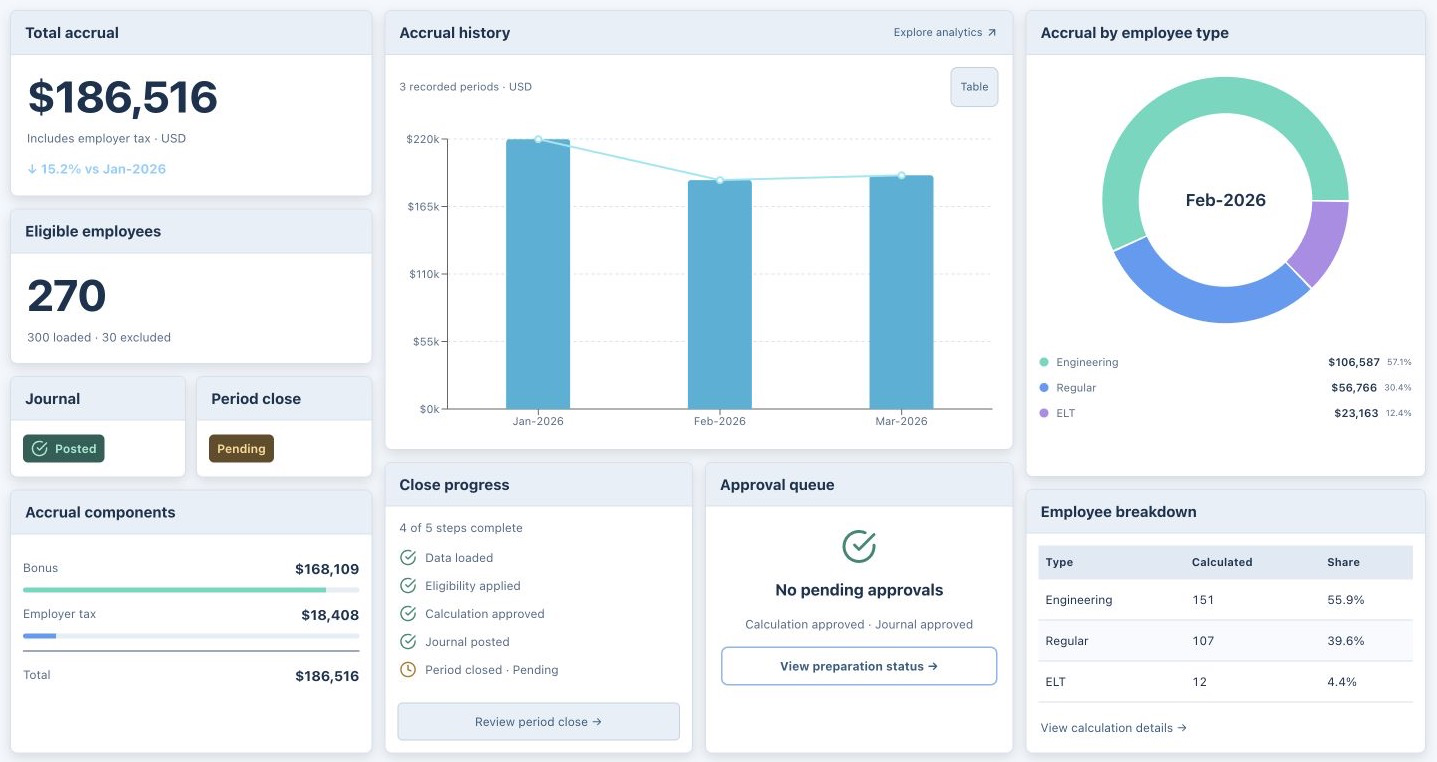
Explore actual screens from the bonus accrual prototype. Every example uses fictional data.
WATCH THE HANDOFF
Follow the agents through an illustrative close. At the human checkpoint, you decide when it continues.
Works inside your AI
Choose your platform. Start with a sample, then review and export.

Prepare bonus accruals, review employee-level results, and export an Excel supporting schedule.
Look for this name and description in ChatGPT.
Using a company-managed ChatGPT workspace? Your administrator may need to enable access. If company policy blocks the plugin, ask about approval before using company data.

Prepare and review bonus accruals inside Claude, with an interactive workspace and Excel supporting schedule.
Coming soon · Preview belowPLANNED EXPERIENCE
Connect SnapAccruals, try the sample, and review the results in your conversation.
“Prepare the bonus accrual using sample data. Show exclusions and export the supporting schedule.”
Submission under review. Public access is not available yet.
We're onboarding finance teams running accruals manually today. Let's talk about your close.
Request demo →