Employee accruals · Private preview
Your month-end close.
All coming together.
Connect your rules, calculations, and review.
Turn the monthly rebuild into a repeatable process.
THE ACCRUAL CLOSEWorkflow illustration
↓
SSnapAccrualsAccrual workspace
Less manual Excel workYour recurring close.
One connected workflow.
Employee detailException reasons
↓
01 Calculate02 Review03 Post in your ERP
Review and approve in your workflow. Post the draft journal in your ERP; no direct posting integration is claimed.
Inside the workspace
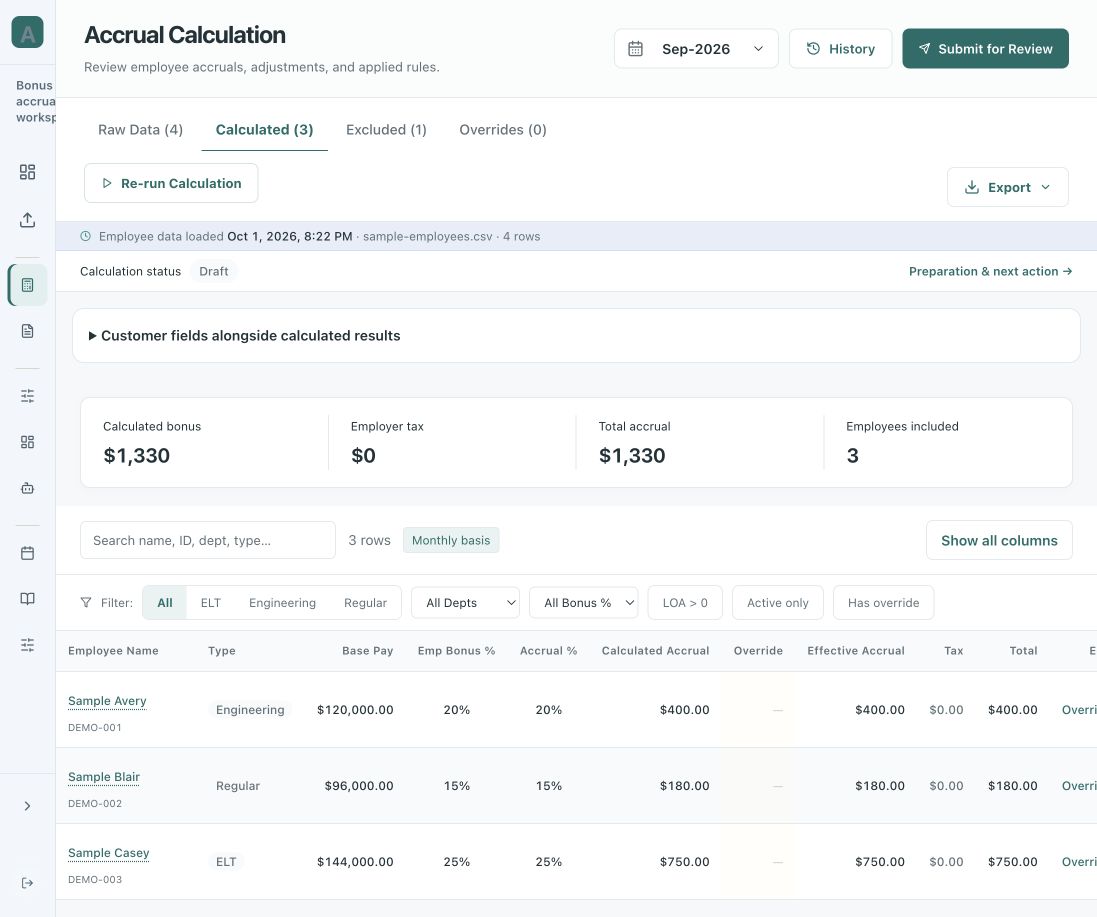
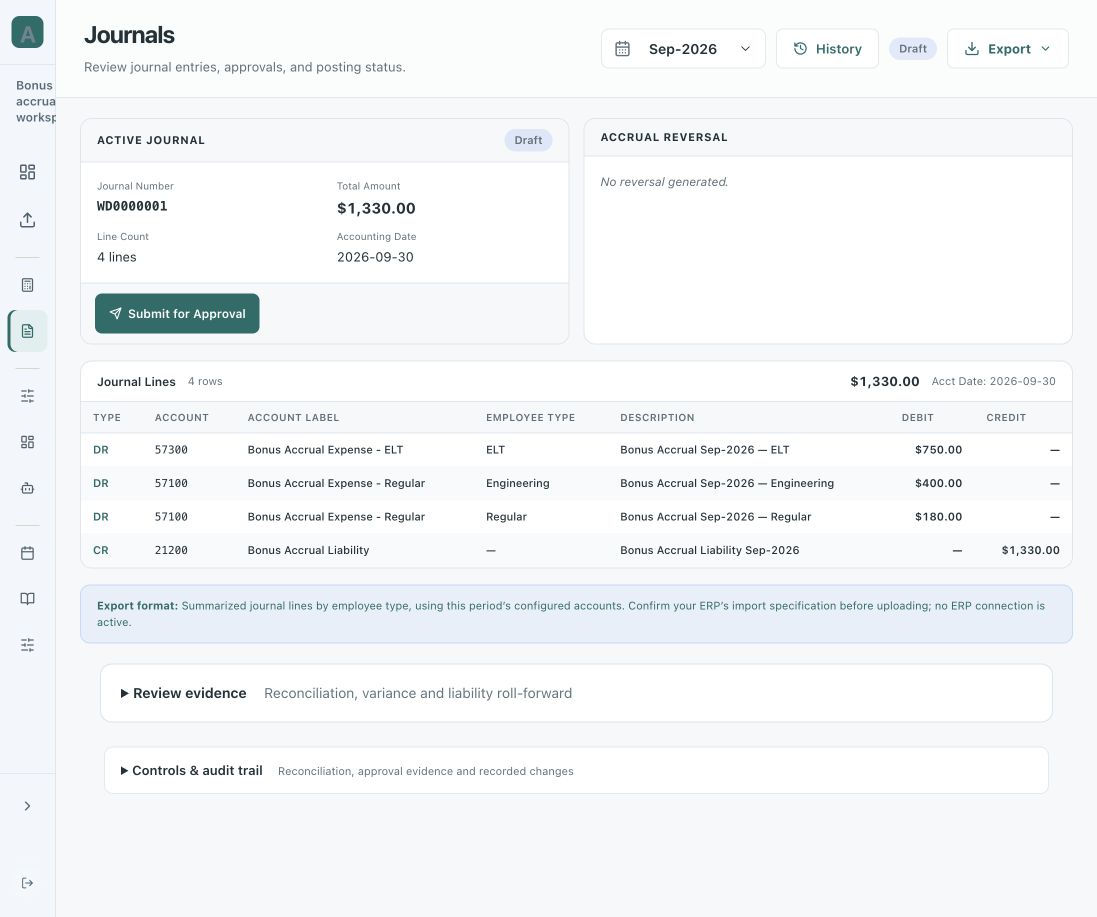
Three views. One accrual close.
Summary, calculation, and journal entry.
Open any screen for a closer look.
Illustrative data · Private preview · Screens show separate example periods. Journal entries are exported for posting in your ERP.
Try a bonus accrual calculation
Meet your AI assistant.
Start with sample data or your own file.
Review the results. Take the detail to Excel.
The whole close, connected
Good numbers start
with a better process.
Keep the source, the assumptions, and the decision together.
Every handoff has a place.
Employee dataConfigured rulesPeriod & eligibility
↓
↓
Employee detailSupporting schedulesDraft journal
Private-preview workflow. Journal generation does not post to an ERP.
Solutions for the monthly close
The same discipline.
For different accruals.
Make the policy explicit. Make the calculation reviewable.
Private previewSolution 01
Bonus accrual
Less spreadsheet work.
More control over the close.
Bring rates, eligibility, and employee detail into the same workspace. See why someone was included, what rule applied, and how the number was calculated.
Request a bonus accrual demo → A more repeatable bonus accrual close
01Stop rebuilding the same workbook
Use configured accrual rules and fresh employee data for each period. Keep Excel export when you need it.
Review without juggling pivot tabs
Bring employee detail, exclusions, and summaries together in one workspace.
Carry the process into next month
Reuse your configured rules with the next period’s inputs. Review new results rather than copying last month’s numbers.
Understand month-over-month changes
Use trends and dashboard views to investigate movements and focus the review.
Fit the review to your process. Explore accrual rules, custom fields, and reporting views in the private preview.
Request a bonus accrual demo ↗Development previewSolution 02
Unpaid wage accrual
Worked this month.
Paid next payroll.
Connect the payroll period to month end. Make the unpaid portion and the day-count basis easy to follow.
Explore unpaid wage accrual → The calculation, made visible3unpaid workdays
10pay-period workdays
× $2,000 gross wages
Illustrative wage accrual$600.00
Illustration, not an app screen. The same day-count basis is used in both parts of the fraction.
Next on the roadmap PTO and broader payroll workflows
Built around accountability
Your team owns
the judgment.
Automation should make the work easier to inspect. Bring your review, access, and deployment requirements into the conversation early.
Explore security & the roadmap →01Defined responsibilities
Design the workflow around preparers, reviewers, and administrators.
Evidence alongside the result
Review the calculation, exceptions, and recorded decisions together.
A clear production roadmap
Customer isolation, SSO, and SOC 1 / SOC 2 readiness are planned. Audits and production controls are not yet confirmed.
Built from experience
12+ years working closely
with accounting teams.
Including helping build an accrual application. That experience informs a simple idea: the number and the process behind it belong together.
Meet Jayant Manwani →Let’s talk about your close
Less rebuilding.
More reviewing.
Show us the part of month end you want to improve.
Request a private preview ↗
 SnapAccrualsRequest access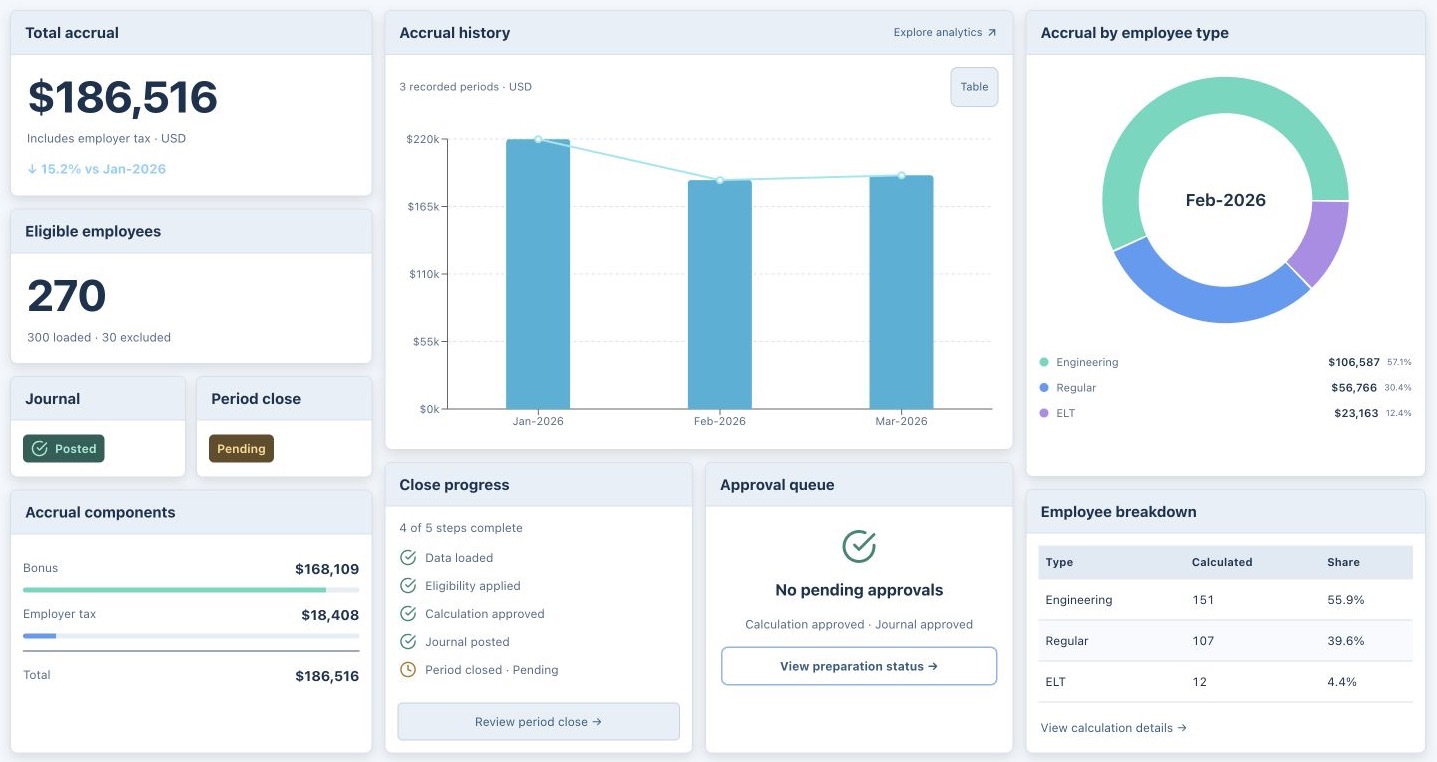
 Try in ChatGPT
  Try in Claude